JupyterLab Usage and FAQ
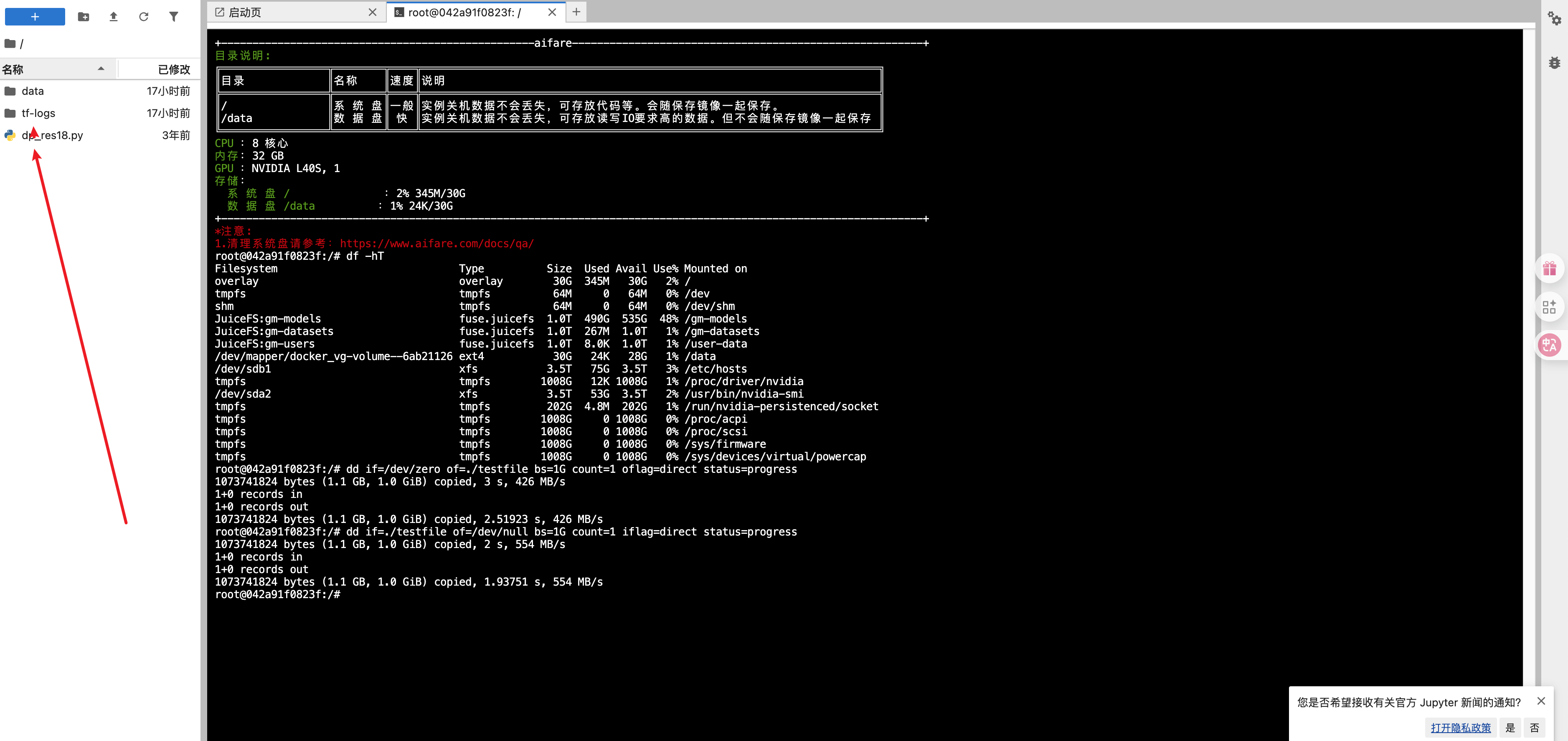
⚠️ The working directory of JupyterLab is
/root, not the system root/. To view the contents of the root directory, please use the terminal and command line.
Basic Features Introduction
Entering JupyterLab
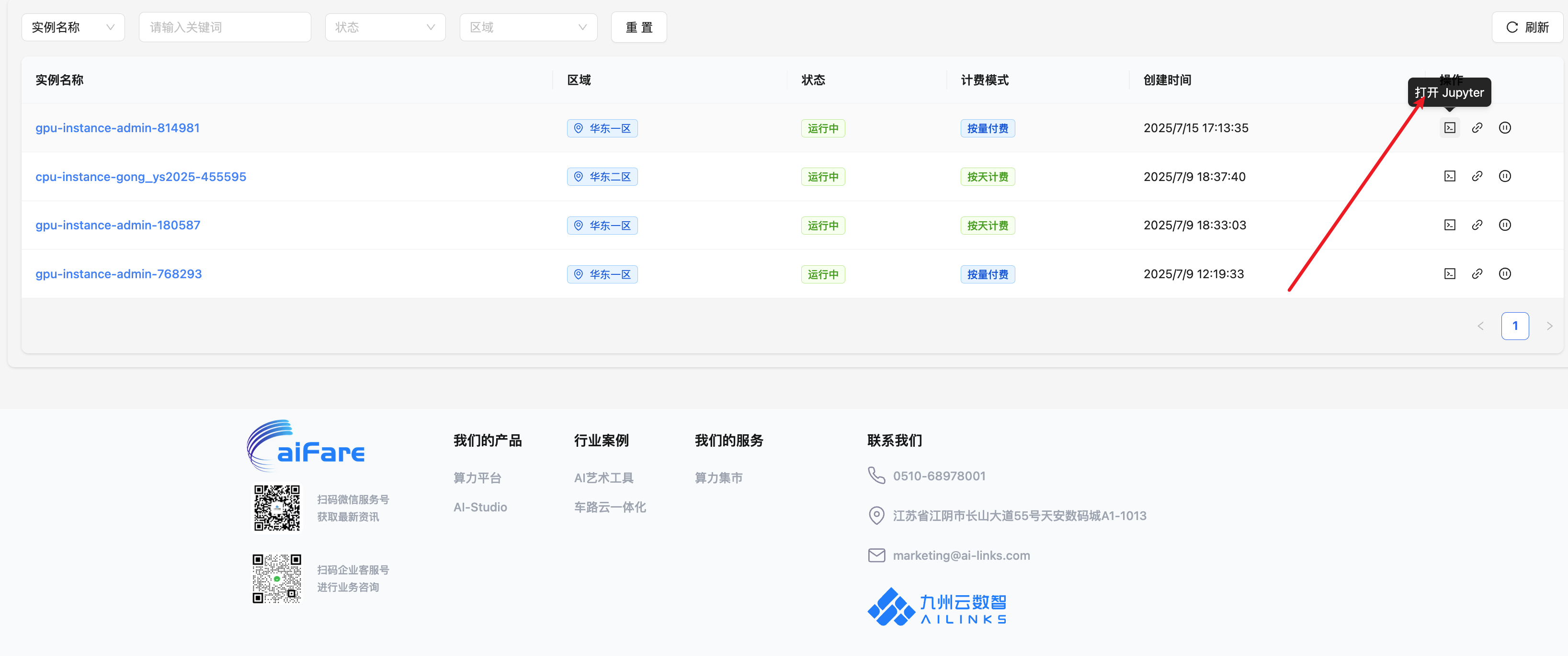
In the aifare console, click: Container Instances → JupyterLab to enter the development environment.
JupyterLab Interface Overview
JupyterLab provides file management, terminal, Notebook, and other development tools with a clean and intuitive interface.
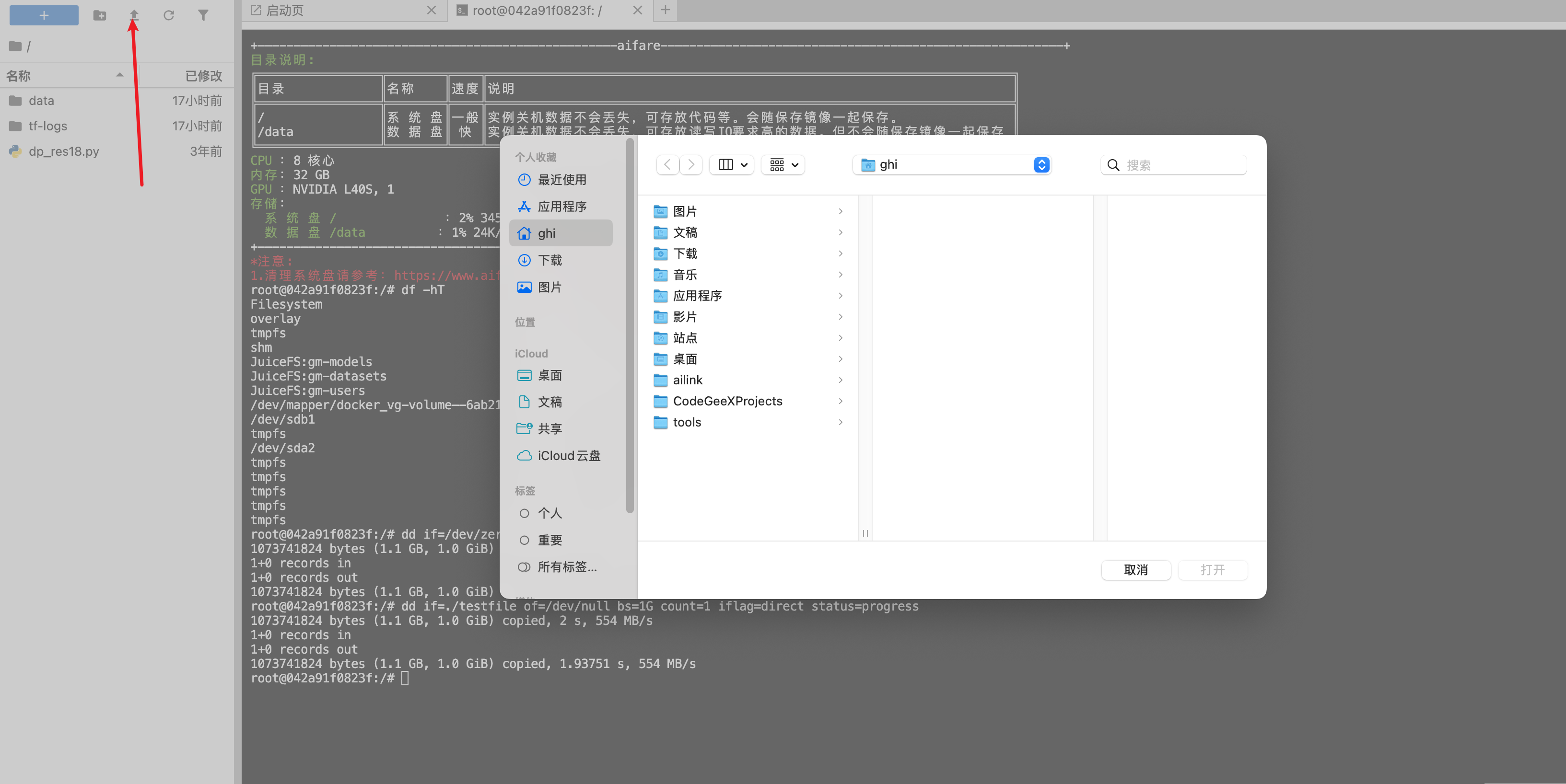
Upload Files
You can upload local files to the instance by clicking the upload button in the file manager on the left.
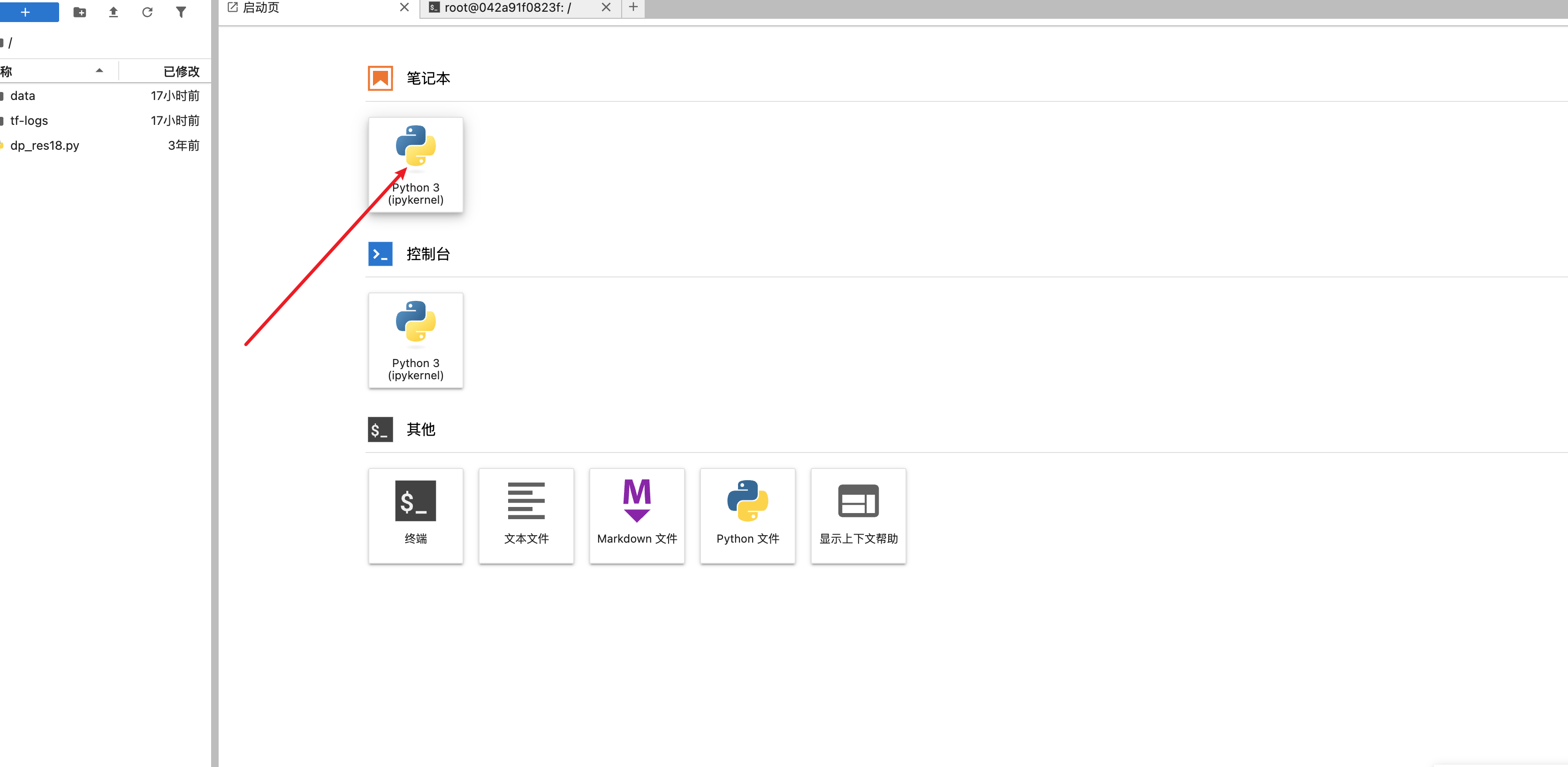
Using Notebooks
Click the "New" button and select the Notebook type (e.g., Python 3) to create and edit interactive code documents.
For more JupyterLab tips, please refer to the aifare platform documentation or contact customer support.